Themes
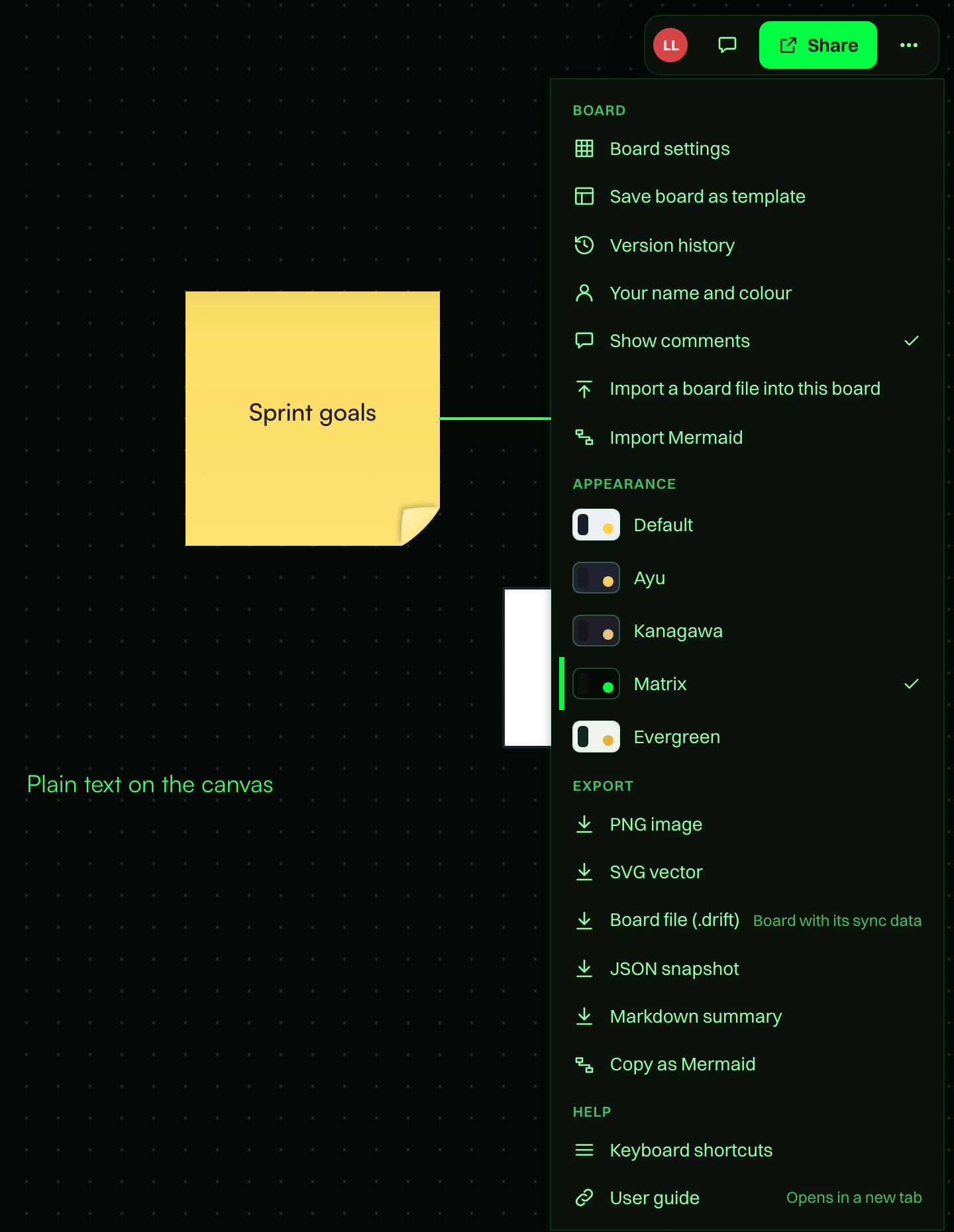
Tabula has five colour themes. A theme changes the look of the canvas, toolbars, menus and dialogs.
The themes
| Theme | Style |
|---|---|
| Default | Light |
| Ayu | Dark |
| Kanagawa | Dark |
| Matrix | Dark |
| Evergreen | Light |
Text and accent colours in every theme are chosen to stay readable.
Change the theme
- Open a board and choose Menu at the top right.
- Under Appearance, click a theme. A check mark shows the current one.
The change applies at once. Your theme choice applies to everything in the app, including the Boards and Templates pages.
What gets themed
Text, drawings, icons, connectors and frame titles that use the default ink colour follow the theme, so they stay readable on dark canvases. Colours you pick yourself, such as sticky note colours and fills, stay as you set them.
Remembered on this device
Your theme is saved in this browser. It is applied before the page appears, so you do not see a flash of the default theme. It is not shared with other people on the board, and it does not follow you to another browser or device. Each person on a board can use a different theme. If your browser blocks site data, the theme still applies, but it resets when you reload.
Exports use light colours
PNG and SVG exports always use the light default colours on a white background, whichever theme you use. A board you export from Matrix looks the same as one exported from Default. See Export and import.